


Top 5 HIPAA-Compliant Form Builders of 2025
In the digital health era, having a HIPAA-compliant form builder is essential for any healthcare organization or startup that collects patient data online. HIPAA (Health Insurance Portability and Accountability Act) regulations mandate strict standards for protecting patient health information, and non-compliance can lead to severe penalties and breaches.
In fact, the stakes are higher than ever - in 2024 alone, the protected health information of over 276 million individuals was exposed or stolen in healthcare data breaches. Secure online forms (often called HIPAA-compliant web forms) help mitigate this risk by ensuring patient data is encrypted, transmitted, and stored safely.
For healthcare providers looking to adopt a HIPAA-compliant form builder, this guide will explain:
- What makes an online form HIPAA-compliant
- Key features to look for in a HIPAA-compliant form builder
- An overview of the top 5 HIPAA-compliant form builders of 2025
What Makes an Online Form HIPAA-Compliant?
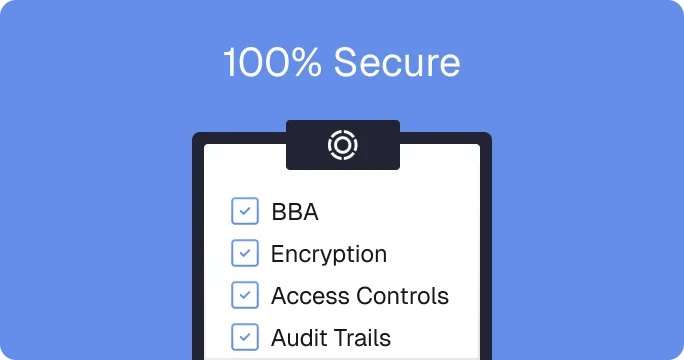
Quick Answer: An online form is HIPAA-compliant if it encrypts data, enforces access controls, securely disposes of PHI, and includes a signed Business Associate Agreement (BAA).
Creating HIPAA-compliant web forms isn’t just about slapping a privacy policy on your site - it requires meeting specific security and legal criteria.
Key elements that make an online form HIPAA-compliant include:
- Data encryption: The form builder must protect data in transit and at rest with strong encryption (like SSL/TLS for transmission and AES 256-bit for storage). This safeguards the confidentiality and integrity of sensitive health information.
- Access controls and authentication: Only authorized personnel should be able to access the form data. Robust user access controls (user logins, role-based permissions, multi-factor authentication) and audit logs are needed to track who viewed or modified PHI.
- Data retention and disposal policies: The service should have clear policies for how long form data is stored and how it’s disposed of when no longer needed. Secure deletion ensures that PHI is not kept longer than necessary.
- Business Associate Agreement (BAA): The vendor must offer a signed BAA. This is a legal contract required by HIPAA whenever a third-party handles PHI on your behalf, outlining responsibilities for safeguarding that data. Without a BAA, a form builder cannot be considered fully HIPAA-compliant.
Key Features to Look for in a HIPAA-Compliant Form Builder
Quick Answer: The best HIPAA-compliant form builders offer customization, mobile responsiveness, conditional logic, integrations, workflow automation, and analytics.
Beyond basic compliance, healthcare organizations should evaluate form builders on features that improve usability, workflow integration, and patient experience.
Here are some key features to look for:
- Ease of use & customization: The tool should offer an intuitive, preferably drag-and-drop form builder with a library of templates (like intake and consent forms) to speed up form creation. Custom branding options (like colors and fonts) are important so your forms can match your organization’s look and feel.
- Mobile responsiveness: An optimized digital health form solution needs to be mobile-responsive to meet modern patient expectations. Mobile-friendly form interfaces ensure patients can complete forms on their smartphones or tablets seamlessly.
- Conditional logic & multi-step forms: Advanced form builders support conditional logic (branching) and multi-step workflows. Conditional logic allows the form to show or skip questions based on a patient’s previous answers, enabling personalized, efficient data collection. Multi-step or funnel-style forms break down long questionnaires into manageable sections, improving completion rates. These features are crucial in healthcare where forms might need to adapt to different patient scenarios (like showing additional questions for certain symptoms).
- Integrations with other software: Look for form builders that integrate with your other software systems, especially EHR or CRM platforms. Integrations ensure that data from the form can flow directly into your other databases, reducing manual data entry.
- Workflow automation: The best solutions do more than just capture data - they help you act on it and reduce the administrative burden on your staff. Consider whether the form builder supports workflow automation such as email notifications, task creation, or follow-up messaging when a form is submitted. For example, you might automate an email to a patient with next steps after they complete an intake form, or alert a care team member if a form response indicates an urgent issue.
- Analytics and reporting: Built-in analytics can track metrics like form completion rates, dropout rates on multi-step forms, or average response times. These analytics help you identify bottlenecks or opportunities to improve patient experience. Additionally, being able to export data or generate custom reports is crucial for measuring outcomes.
- Payment collection: A HIPAA-compliant form builder should support secure payment fields for collecting fees directly within forms, whether that’s for subscriptions, one-time charges, or outstanding balances. Integrating payment collection reduces friction, allowing patients to pay for telehealth visits, lab work, or memberships without leaving the form. Leading platforms use encrypted payment gateways like Stripe or Square to handle financial data securely, ensuring no payment information is stored within the form system.
5 Best HIPAA-Compliant Form Builders of 2025
Let’s look at five HIPAA-compliant form builders that have stood out to users in 2025. We’ll cover the standout features of each and how they cater to healthcare organizations. These five options offer BAAs and secure data handling (depending on the subscription tier), but they differ in capabilities and ideal use cases.
1. Tellescope

Tellescope is more than just a HIPAA-compliant form builder - it’s an all-in-one healthcare solution that combines forms, CRM, care coordination, messaging, scheduling, analytics, and more. This means healthcare organizations can manage everything from patient intake forms to task management all in one place.
Key Features:
- Drag-and-drop builder: Create custom online forms for any purpose and send them to patients via a secure link or patient portal. Pre-loaded with healthcare-specific question types (like an extensive list of medications and insurance providers), creating forms has never been easier. Teams can either create forms from scratch or choose something from the template library. Conditional logic offers deep form personalization, including form redirects (to other forms or landing pages) based on patient responses.
- Integrated workflows: Design custom, automated workflows that trigger actions (like alerts and follow-ups) based on form submissions, no custom code required. A standout feature that Tellescope offers is Form Completion Links: if a patient exits a form before submitting, Tellescope can automatically email a secure link to resume where they left off, reducing ‘abandoned cart’ rates.
- Robust analytics: Track patient engagement and completion rates in real-time with every form submission. Users can also track long-term patient progress and outcomes via patient profiles and custom reports to identify trends in your care programs. These capabilities give your team a 360-degree view of the patient journey.
- Integrations: Tellescope connects with 20+ healthcare tools, like Canvas Medical and Stripe, and offers open API for custom integrations. Tellescope’s Keragon partnership also allows secure, no-code integrations with 100+ additional software tools, allowing your team to seamlessly scale as your technology needs grow.
- Unified platform: With Tellescope, you aren’t just getting a form builder. Manage forms, communication, tasks, and more, all in one secure, HIPAA-compliant system for one price. This removes the need to switch between multiple apps to run your business operations.
Things to Note: This year, Tellescope launched version 2.0 of their form builder, allowing for more branding and visual customization options (like branded fonts). What sets Tellescope apart from other tools on this list is that it’s not a standalone form builder - it’s an all-in-one platform for care providers.
Best For: Startups and healthcare teams seeking the most comprehensive HIPAA-compliant form builder, with automations, conditional logic, analytics, and integrations included. It’s designed for organizations that may not have big IT teams, so the interface is user-friendly and the support team is very responsive. If you’re looking to quickly build simple to complex forms and immediately put the data to work in your practice, Tellescope is hard to beat.
2. Jotform

Jotform is one of the most popular online form builders that offers HIPAA-compliance. It provides a solid all-around package for basic to moderately complex forms. Known for simplicity, it’s ideal for organizations that need quick, customizable forms.
Key Features:
- Drag-and-drop builder: Known for its user-friendly drag-and-drop interface, which makes it easy to create forms in minutes - perfect for non-technical users. Jotform also offers customizable fields like appointment scheduling.
- Extensive template library: With hundreds of healthcare form templates and the ability to customize them with your branding, Jotform significantly reduces form-building time for busy clinics. A noteworthy feature is their large library of AI Agent templates you can clone to build conversational assistants from templates or existing forms.
- E-signatures & payments: Collect consent and co-pays securely. HIPAA accounts can use e-signature fields that generate signed PDFs with an audit trail to support compliance workflows. For payments, Jotform connects to popular gateways so you can take deposits, membership fees, or telehealth charges directly in the form. Note: card data is handled by the gateway, not stored in your account.
- Integrations: With 100+ integrations, your team can automate data entry tasks by connecting Google Sheets, Dropbox, and more. Use native connectors, webhooks, or API to push data into scheduling, billing, or data warehouses in real time. You can also trigger downstream workflows, like creating a lead, opening a ticket, or notifying a care channel, the moment a submission arrives.
- Product offerings: Jotform also offers a suite of complementary tools for healthcare startups, including Jotform Tables for managing patient data in a spreadsheet-like interface, Jotform Apps for creating branded patient portals or mobile apps, and Jotform Approvals to automate internal workflows like intake reviews or lab result sign-offs. Together, these tools extend the power of Jotform beyond data collection. Each additional tool is sold separately.
Things to Note: HIPAA-compliance is only available on their Gold tier plan. If your team wants to push form data into an EHR, you may need to use a tool like Keragon to create that integration. If not, your team will have to manually input that data into your EHR. Also, Jotform’s logic capabilities are somewhat limited compared to newer healthcare-specific form tools. It does not natively support advanced conditional workflows or saving partial form progress. So if a patient abandons a form mid-way, you cannot retrieve that partial data which can mean lost leads or follow-ups.
Best For: Clinics and healthcare providers seeking an affordable, easy-to-use HIPAA-compliant form builder with broad functionality. For many standard use cases (simple intake forms, surveys, feedback forms), Jotform is a sufficient and convenient choice.
3. Formstack

Formstack is a well-established no-code form and workflow platform geared towards workplace productivity. Its Enterprise plan offers HIPAA compliance, making it popular with larger practices and hospitals. Formstack’s claim to fame is providing “a better way to capture data and automate repetitive work.”
Key Features:
- Drag-and-drop builder: Formstack’s signature offering is an easy-to-use online form builder with a drag-and-drop interface, mobile-responsive design, and branding options. Formstack also offers a library of pre-built healthcare templates, such as insurance verification and doctor referral forms.
- Conditional logic + analytics: Design dynamic forms that adapt to user input and track how those forms are performing over time. Metrics you can track include form views, form completion, and conversion rates.
- Integrations: Works with Salesforce, Microsoft tools, payment gateways, and more. In a healthcare context, this means your Formstack forms can feed directly into your other workflow tools. Formstack also has deep integrations with Salesforce, perfect for larger healthcare orgs already using their CRM.
- Form automation: Formstack supports automating document generation and e-signatures. This is useful for recurring documents like HIPAA authorization or treatment consent form. Note: this is a separate feature in addition to the form builder.
- AI assist: Formstack’s AI Assist feature helps you build forms faster by generating field suggestions, question wording, and form logic from a short prompt or existing content. It can analyze your form goals, auto-draft professional field labels, and even rewrite unclear questions to match your tone. This saves healthcare teams hours of manual setup while improving clarity and accessibility for patients.
Things to Note: Only their Enterprise plan offers HIPAA compliance. Like Jotform, if your team wants to push form data into an EHR you may need to use a tool like Keragon to create that integration. If not, your team will have to manually input that data into your EHR. While Formstack forms are customizable, some users find it challenging to perfectly match their brand styling due to template constraints. Additionally, Formstack captures data only upon form submission (not during mid-form), so if a patient quits halfway, you lose that data (like Jotform.)
Best For: Healthcare organizations needing HIPAA-compliant web forms tied into larger no-code workflows. Its scalability and automation capabilities shine in multi-step processes where eliminating paper and manual steps can save a lot of time. In terms of pricing, Formstack is suitable for SMBs and enterprise customers, depending on your technology needs. More robust add-ons and features are available outside of the basic form builder for an additional price.
4. Embeddables

Embeddables is a newer solution tailored specifically for digital health and wellness companies. It’s not just a form builder - it’s a full funnel builder and front-end platform for personalized healthcare journeys. Embeddables offers HIPAA-compliance on all subscription tiers, so any form or landing page you deploy is secured for patient data by default.
Key Features:
- Full funnel builder: With Embeddables, teams can design an end-to-end customer acquisition and onboarding flow, including landing pages, eligibility quizzes, and multi-step medical intake forms, with advanced features like conditional logic and A/B testing. This makes it unique among most of the tools listed as it goes beyond forms to cover the whole conversion funnel. This is particularly useful for health startups offering digital services or D2C health products.
- Deployment options: Another strong point is deployment flexibility. As the name suggests, these forms or pages can be embedded into any site or app with minimal code. Embeddables provides an “embed with two lines of code” approach, which is great for startups that want to integrate forms into their existing website seamlessly
- AI + full-service assist: Use Embeddables’ AI Assisted Visual Builder to help you draft questions, refine copy, and suggest branching logic to speed up form creation. For extra support, you can also collaborate with Embeddables’ engineers to design, build, and maintain complex form workflows when your team needs hands-on help.
- Daily briefings + analytics: With Embeddables, your team has access to built-in analytics to monitor funnel performance and drop-off points. Through the Daily Briefing dashboard, you also receive an automated, at-a-glance summary of funnel performance, drop-off rates, and conversion metrics each morning - helping your team make quick, data-driven decisions.
- Integrations: Embeddables provides native integrations with EHRs and pharmacy systems via API, meaning if your digital health product needs to send form data into an EHR or trigger a prescription, that can be configured without custom code or manual data entry.
Things to Note: While Embeddables offers impressive features beyond form creation, visually stunning templates, and HIPAA-compliance baked in, these features come at a higher-ticket price. Because it offers a lot (including a full-service team option to help build your workflows), pricing is on the higher end of the scale compared to other options on this list.
Best For: Embeddables is powerful but geared toward growth-focused use cases. It may be more platform than a small clinic needs if you only want simple forms on your site. That said, for healthcare organizations looking to optimize patient acquisition with conversion in mind, Embeddables is a standout choice with its all-in-one funnel and form capabilities.
5. Formsort

Formsort is a specialized form builder designed for healthcare and other sensitive use cases. It focuses on adaptive, multi-step forms with advanced logic, making it ideal for patient intake questionnaires, risk assessments, symptom checkers, and similar interactive forms. Webhooks also allow customers to push form responses to their EHR, eliminating the need for manual data entry.
Key Features:
- Advanced drag-and-drop builder: Formsort offers a low-code drag-and-drop builder alongside a template library of healthcare-specific forms so teams can launch quickly. Designers and developers also get full styling control with custom CSS support, down to button animations, layout tweaks, and branded themes, giving your forms a polished, on-brand look.
- Advanced conditional logic: Formsort offers robust conditional logic, real-time calculations, and the ability to save partially completed responses so that a user can resume later. Displaying real-time information within forms is a noteworthy feature that only few form builders provide. For example: showing a patient a list of nearby pharmacies or a price estimate based on their form inputs.
- Custom form validation: Formsort lets teams define custom rules for each field - from verifying patient ID formats to checking patient inputs for errors. Validation can run instantly to confirm details before submission, ensuring accuracy and compliance. This reduces errors, prevents incomplete submissions, and ensures all data entering your workflows meets your exact standards.
- Deployment options: Much like Embeddables, Formsort supports embedding forms into your website or app and it prioritizes a polished, on-brand design so that the forms feel like a seamless part of your product. If your team has development resources, Formsort provides an API and webhooks for deeper integrations as well.
- Data security: In addition to being both HIPAA-compliant and SOC 2 Type II certified, one notable aspect of Formsort’s architecture is that, unlike some other form builders, Formsort does not store your form data long-term by default. Instead, it acts as a pipeline: you design the form and the data is transmitted securely to your own database or integrated systems.
Things to Note: HIPAA-compliance is only available with their Enterprise tier plan. The power of Formsort does come with a slight learning curve. Since they are a “low-code” platform, users have noted that its plethora of features, customizations, and logic options can be a bit complex initially. However, they do offer customer support to help new users navigate those advanced capabilities.
Best For: Formsort is an excellent choice for healthcare providers and digital health apps that need highly customizable, logic-driven forms. This may or may not include having developers on your team for light coding to achieve the customization you need. It ensures HIPAA compliance and security throughout, while enabling you to create sophisticated form flows that can significantly enhance patient onboarding and data collection.
Create HIPAA-Compliant Forms Online with Tellescope
Each of the five solutions above offers a secure way to build HIPAA-compliant web forms, but Tellescope stands out as the top choice for healthcare organizations and startups seeking an integrated approach. With Tellescope, you’re not just getting a form builder; you’re gaining a whole platform to manage the patient relationship, all for one price.
For healthcare providers, this means less time on administrative tasks and more time delivering quality care. For digital health startups, it means you have a scalable foundation that covers compliance from day one. Tellescope allows healthcare teams to focus on growth and patient experience, knowing that intake, communications, and data handling are all secured and streamlined.
If you’re ready to elevate your patient intake and engagement, Tellescope provides the tools to create secure online forms and much more. Click here to chat with our team and discover how we can help your business deliver a modern, efficient, and compliant healthcare experience.




Learn more about Tellescope
Be up-to-date with the latest digital health resources